class PHPMouseAnalyzer { public function analyze(Project $project): AnalysisResult { $data = $this->extractData($project); $structure = $this->validateStructure($project, $config); $code = $this->validateCode($project, $config); return new AnalysisResult($data, $structure, $code); } private function extractData(Project $p): DataSet { // Collect classes, methods, properties, namespaces return $this->parser->parse($p->getFiles()); } private function validateStructure(Project $p, Config $c): Validation { return $this->structureValidator->check($p, $c); } private function validateCode(Project $p, Config $c): Validation { return $this->codeValidator->check($p, $c); } }

PHPMouse Beta

PHPMouse lets you analyze the data and validates the structure and code of your PHP projects based on your own configuration.

What is PHPMouse?

PHPMouse is a Windows desktop application for analyzing and validating PHP projects.

Import

Load your project. PHPMouse reads the files and structure.

Configure

Define rules for data, structure and code validation.

Validate

Run validation and see where your project deviates.

What can PHPMouse do?

Visual data analysis
Data

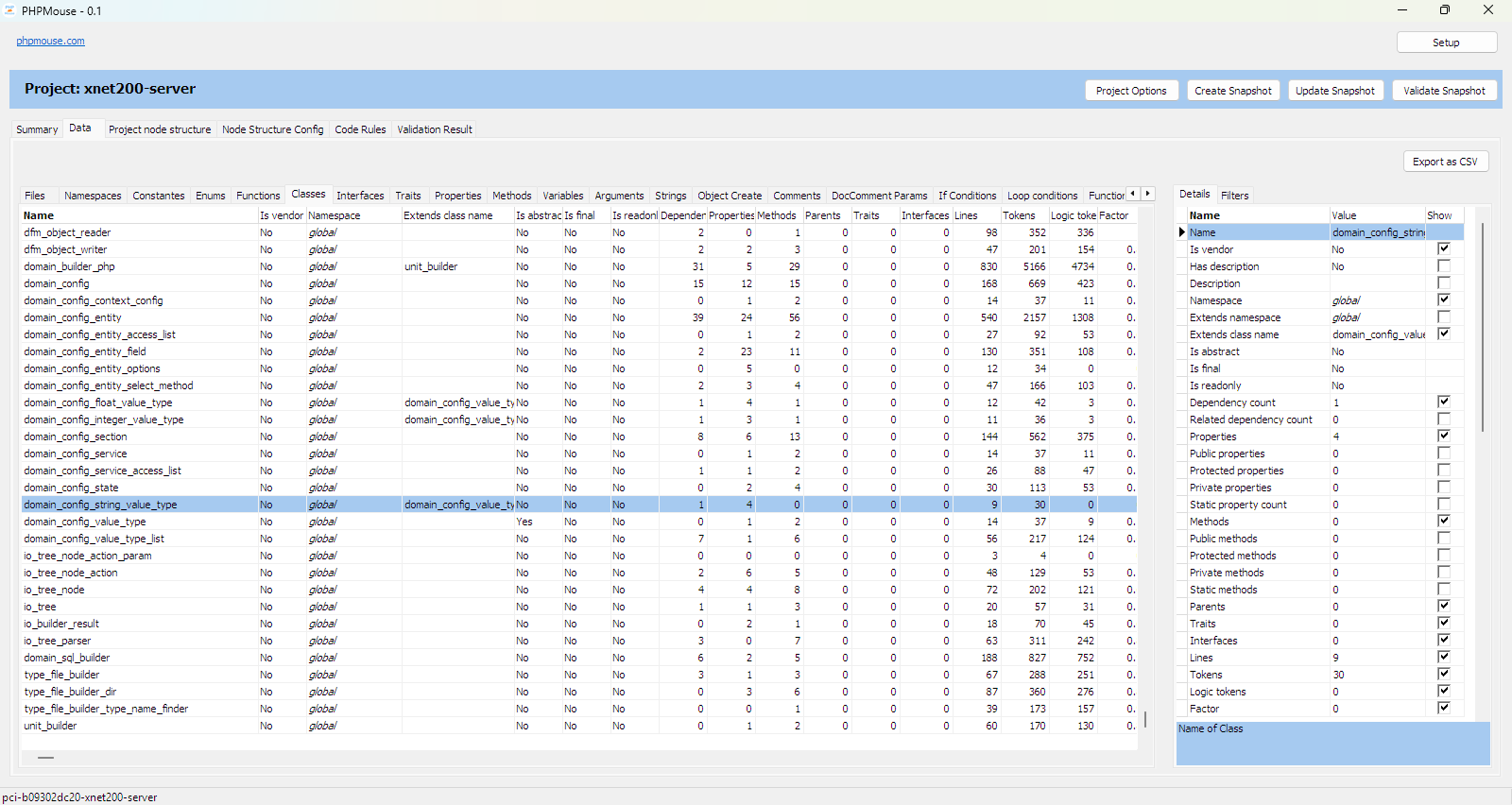
Every element — classes, methods, conditions, calls — is extracted and measurable. Filter, sort and find anything in one click.

Read more →

Structure definition

Structure

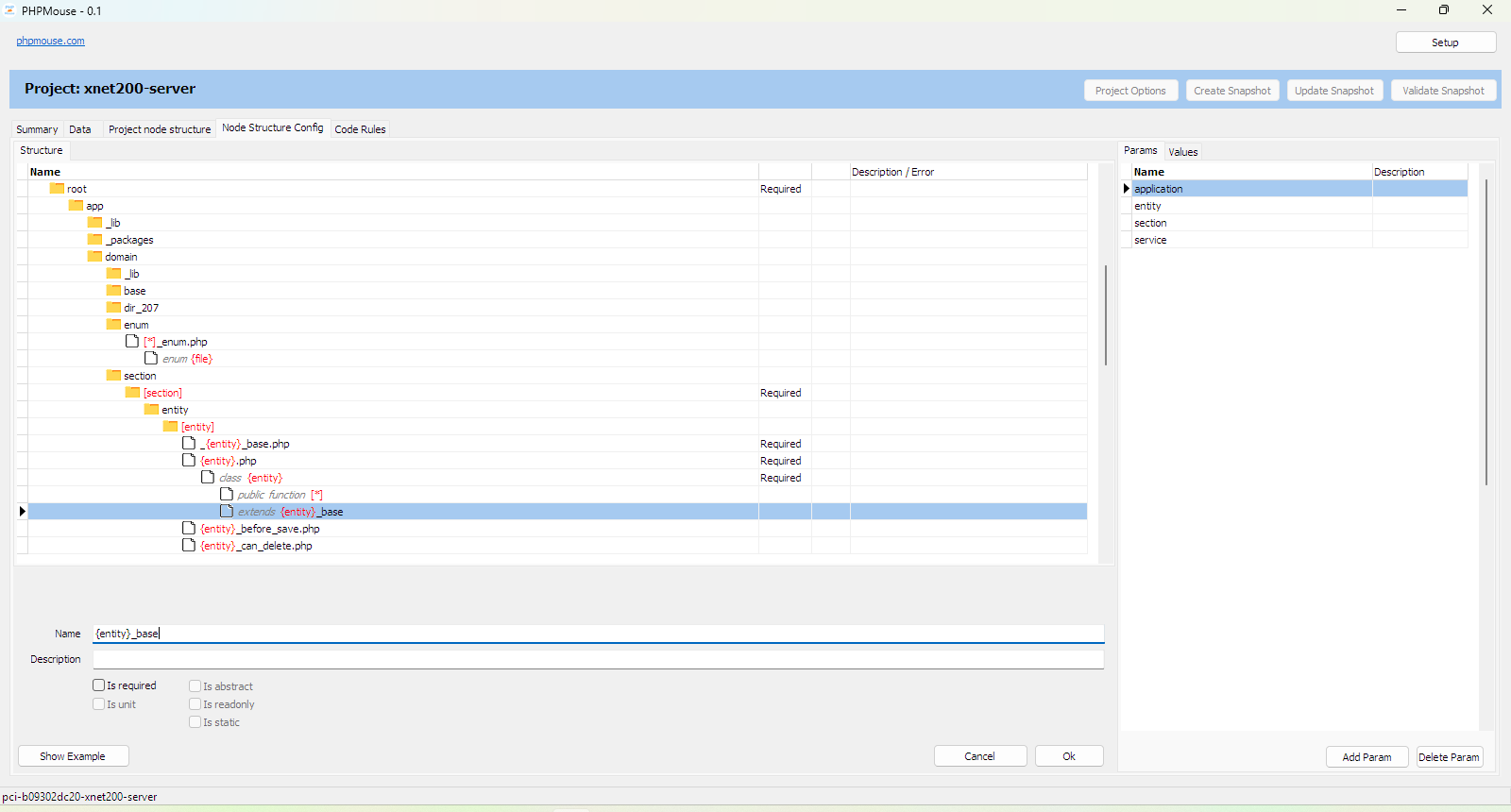
Define your blueprint. PHPMouse checks whether directories, files and code elements match your design.

Read more →

Code rules

Code

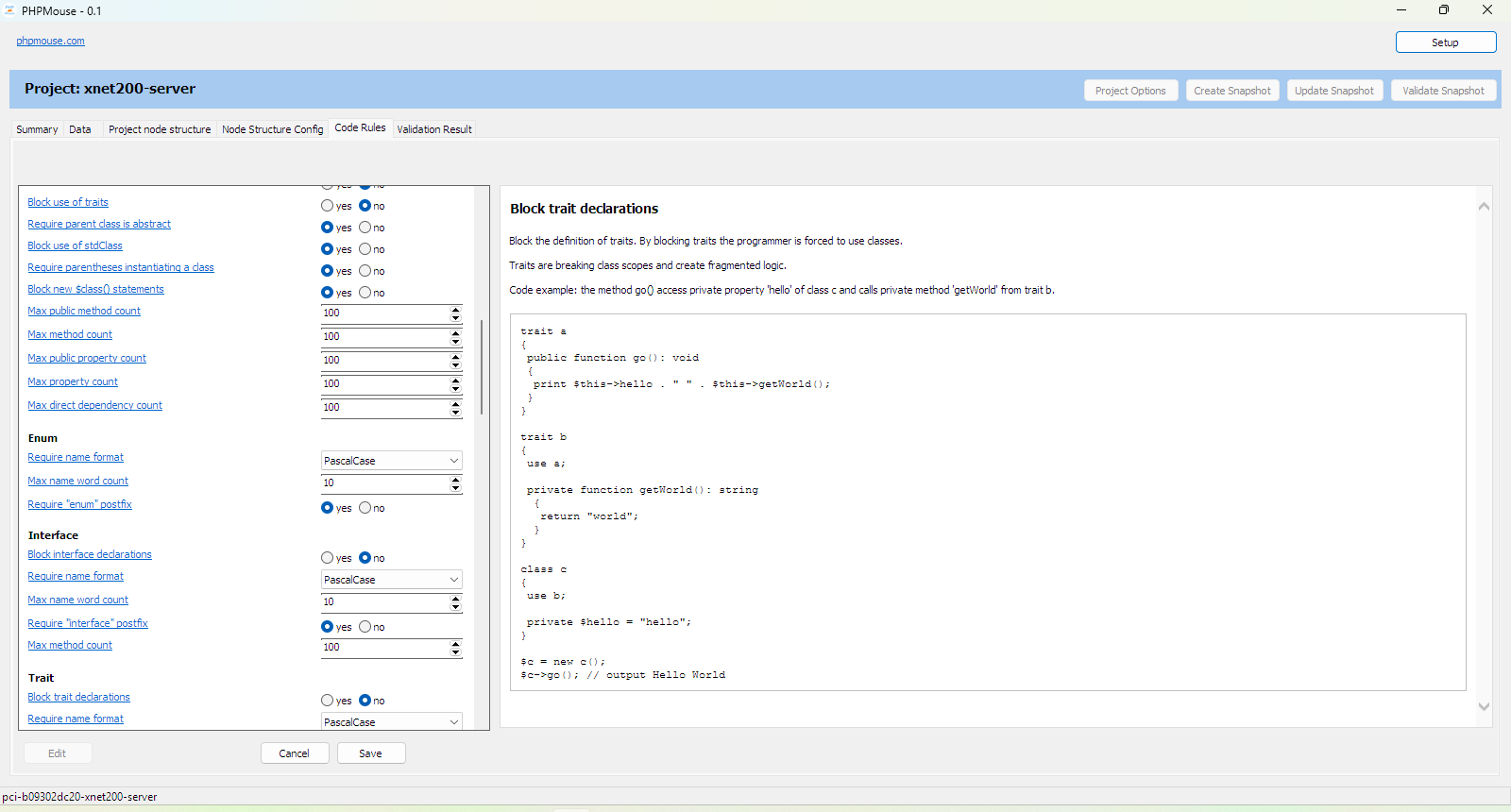
Block constructs you don't want. Require what you do want. Set limits. Enforce naming conventions.

Read more →

How does it compare?

PHPMouse PHPStan PHP_CodeSniffer
Visual interface — —
Visual data analysis — —
Structure definition — —
Code rules — Partial
No PHP install needed — —
Formatting — —
Type errors — —

Who is it for?

Lead Programmers

Who spot-check structure and conventions. Static analysis tools like PHPStan check if code works. PHPMouse checks if the team follows the blueprint.

Development Teams

Rules prevent discussions. No more "sometimes this is allowed, sometimes not." A code discussion becomes a rule — and the rule is enforced.

Agencies

Every project follows the same blueprint. New developers know where things go. Handovers are faster. No more "this project is different."

System Requirements

  • Windows 10 or later
  • 100 MB disk space
  • 4 GB RAM recommended

FAQ

Does PHPMouse modify my code?

No. PHPMouse only reads your project. It never changes your files.

What PHP versions are supported?

PHP 7.4 and later. The parser handles modern PHP syntax.

How do I update?

Download the new version and replace the old files. Your configuration is preserved.

Does my code leave my computer?

No. PHPMouse works entirely offline. Your project data never leaves your computer.

Is it free?

PHPMouse is currently free during the beta period.

Download PHPMouse

PHPMouse is currently in beta. Download and try it for free.

Beta v0.1.0-beta

Current beta version. Features may still change.

  • Data overview & statistics
  • Structure & code validation
  • Configurable rules
Download: PHPMouse-0.1.zip
SHA256: cf8d2a45acce4fff1c801a1ad08e36aa7fa3e6dae785e8f8d1f2e43b3a41d2c1
Download here

Roadmap

  • Snapshot update
  • Graphical display of metrics
  • Definition of "layers"

About

PHPMouse helps PHP developers write consistent, maintainable code through automated analysis and validation.

Contact

Questions or feedback?

info@phpmouse.com

Disclaimer

PHPMouse is provided "as is" without warranty of any kind. Use at your own risk. The developers are not liable for any damages, data loss, or issues arising from the use of this software. PHPMouse does not modify your code, but you are responsible for maintaining backups of your projects.