Structure definition
Validate your project structure based on configuration
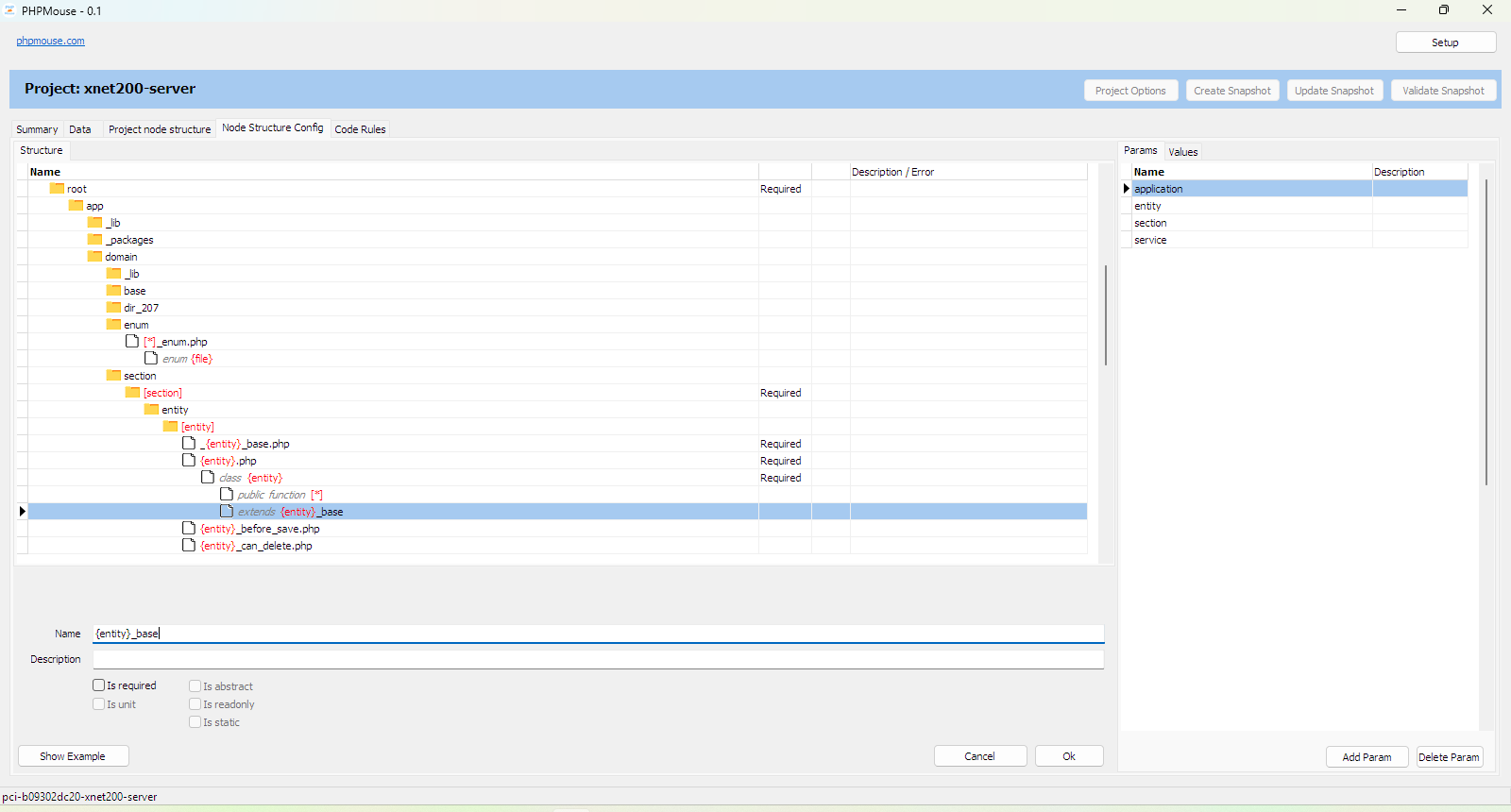
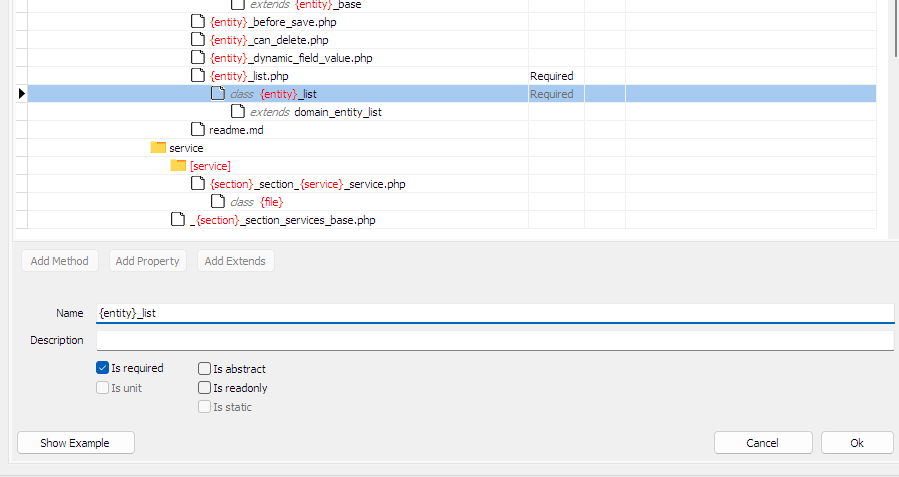
The project structure is represented as a tree of nodes.
Why structure validation?
Structure validation ensures your project follows an agreed layout. Directories, files and code elements must appear where the configuration expects them. This prevents inconsistency and makes refactoring safer.
Node
A node is an element in your project structure: a directory, file, class, method, property and more. This structure continues from the file system into the code itself. Nodes form a tree that defines which elements are required or optional. The configuration specifies the rules; the validation checks if your project matches.
Node path example
Node types
| Node | Childnodes |
|---|---|
| Directory | Directory File |
| File | Class Enum Function Interface Trait |
| Class | Const Property Method ExtendClass UseInterface UseTrait |
| Enum | Const Method |
| Interface | Method |
| Method | Argument ResultType |
| Argument | ArgumentType |
| Trait | Const Property Method UseTrait |
| Property | PropertyType |
Node attributes
| Name | Description |
|---|---|
| Is Required | When the parent node is found in the config, this node must also exist. |
| Is Unit | Indicates whether a Directory node is a unit |
| Is Readonly | Whether a property or class is readonly |
| Is Abstract | Whether a class is abstract |
| Is Static | Whether a property or method is static |
| Access | Public, private, protected for properties and methods |
Node Parameters
By using parameters, parameterized structures can be defined. Without this essential option, a structure configuration would either check nothing or require an identical structure.
For a parameter you can specify whether it accepts any value or a fixed set of values. At least one value must always be entered, even for free input; this is used to generate an example of the configuration so you get a better picture of the defined structure.
Parameter notations
| Name | Description |
|---|---|
| [pname] | Parameter name in square brackets; tries to match part of the name and stores the found value for use in child nodes. |
| {pvalue} | Parameter name in curly braces: a value previously found in a parent node, used for a string replace on the node name. |
Special parameter notations
| Name | Description |
|---|---|
| [*] | Wildcard; the value is not stored |
| {dir} | The name of the direct folder node |
| {file} | The name of the file without file extension under which the nodes fall |
Using units
An application consists of functionally scoped parts that are themselves composed of or collaborate with other parts. Certain part levels or compositions are given an abstract meaning with a name. For example layers and units (but also the application itself).
In this application the term "unit" is defined as a directory where only the files at the first level may be used outside the directory. Files in an underlying subdirectory structure may only be used within the unit. In this way the application becomes less amorphous, real unit tests can be used (instead of individual classes etc.), and a unit can be refactored at the lower levels without causing problems elsewhere in the application. The first level is the contract with the rest of the application.
To keep the configuration from becoming confusing, a unit cannot contain other units.
Summary
With node types, attributes, parameters and units you can define a precise structure for your project. The configuration enforces consistency while remaining flexible through parameters. Use "Show Example" to preview how your configuration translates into an actual structure.
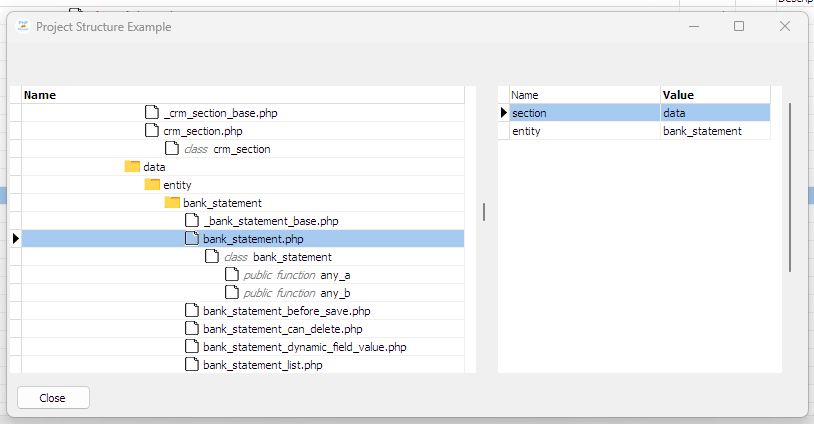
Show Example
By clicking the "Show Example" button, a screen opens with a filled-in example structure. The parameters are replaced by the possible values specified in the parameter definition. By selecting a node in the example, the values for the parameters become visible for that node.